Features How It Works About Download Pricing Help Contact Download the app
Art inventory software · Now available for Mac and Windows

The least romantic part of being an artist.
Handled.

Nobody picks up a brush dreaming of file names. But between the last brushstroke and the sold sign, there’s a pile of work nobody warns you about. ARTVENTORY does the pile.

For Mac and Windows · Free trial · No credit card

Scroll

From finished files to finished catalogue.

It names your files. It writes your descriptions. It builds your variants and prices them. It pulls the palette straight off the canvas and fills in the SEO. Then it exports the whole thing to your store. That’s the job.

The Darkroom

File Organization
  • Names your files to your system — every file, every time
  • Pairs the print file with the web file for every artwork, automatically
  • Pulls the year straight from the photo’s own metadata
  • Catches visual duplicates before they clutter your archive
IMG_4032.jpg→Morning_Bluff_24x36_2024_WEB.jpg
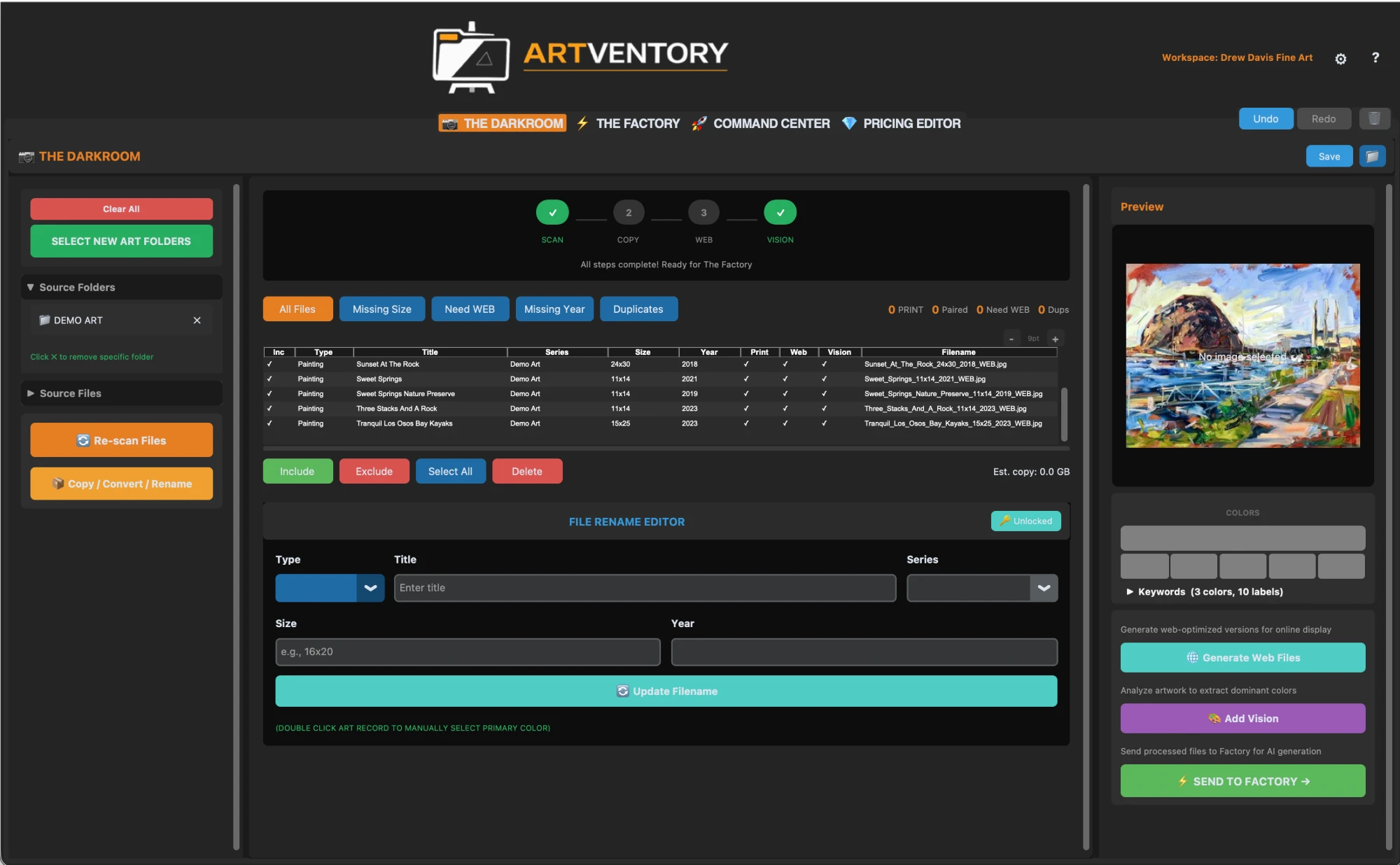
ARTVENTORY Darkroom — File Organization

Click screenshot to enlarge

The Factory

AI Processing
  • Writes your descriptions in bulk, in your voice, in 7 modes
  • Lifts color tags straight off the canvas — buyers can sort by color
  • Fills in the SEO you'd otherwise edit in your website's code
  • Batch-processes hundreds of pieces while you're back at the easel
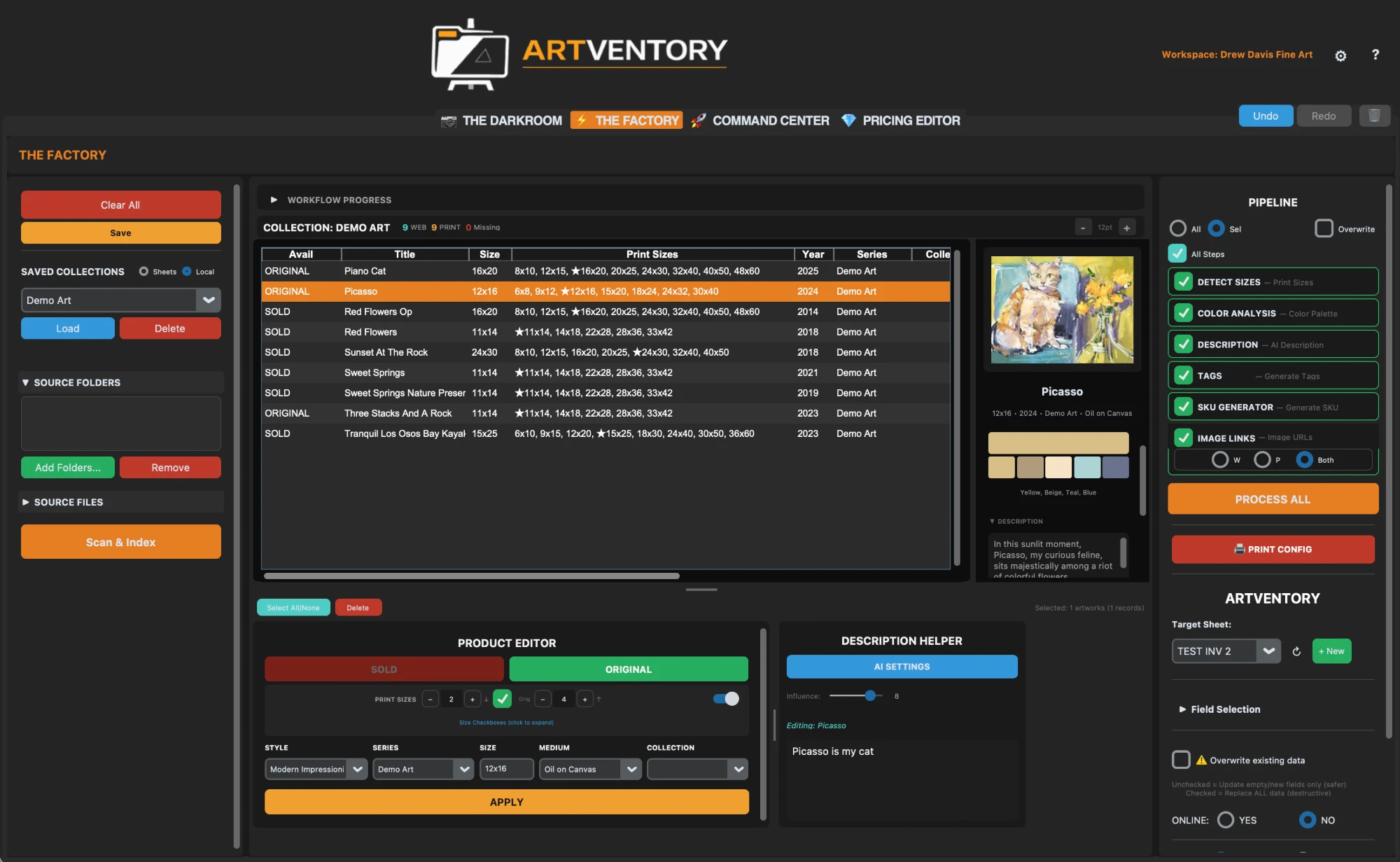
ARTVENTORY Factory — AI Processing

Click screenshot to enlarge

Pricing & Sales

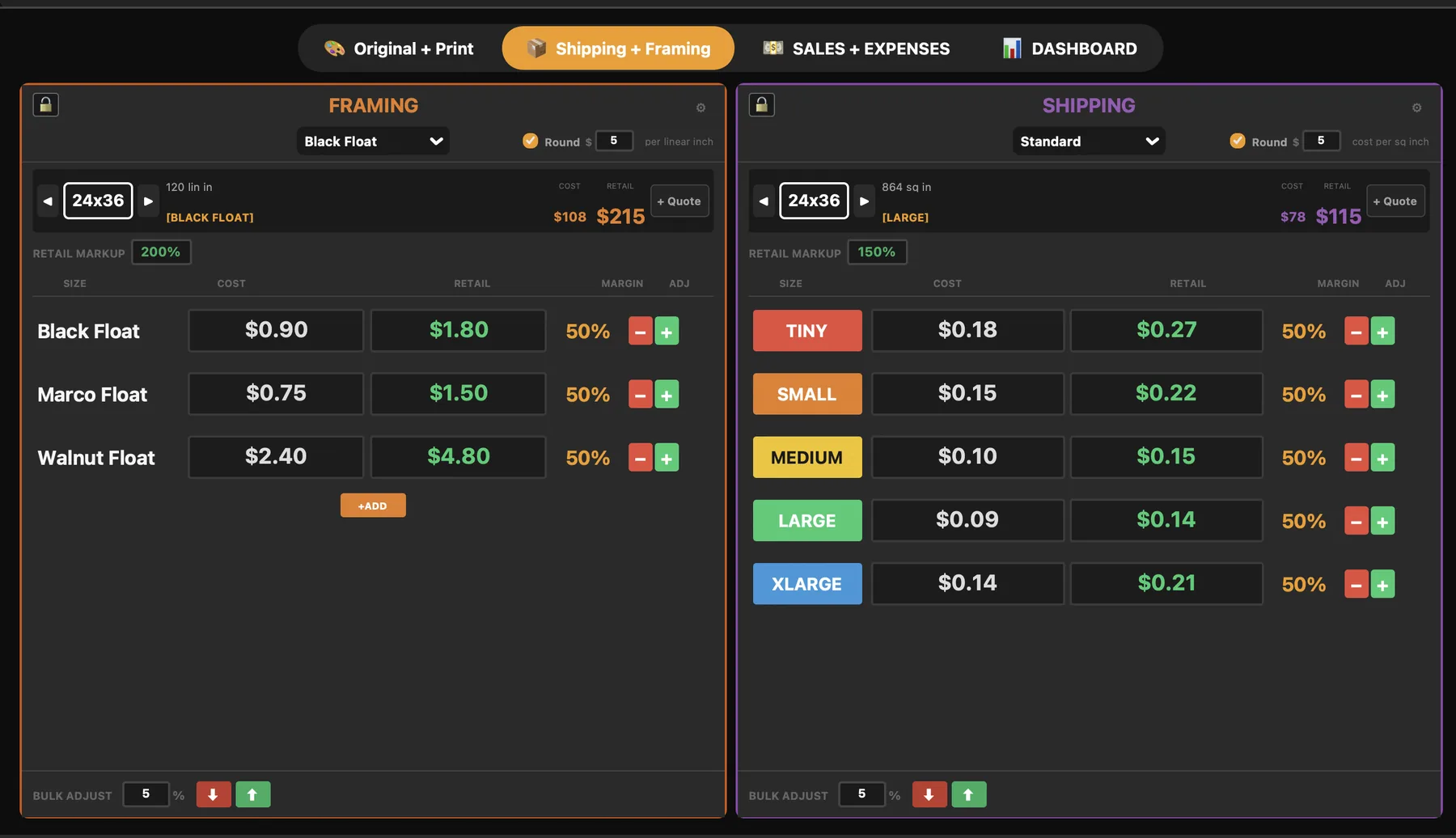
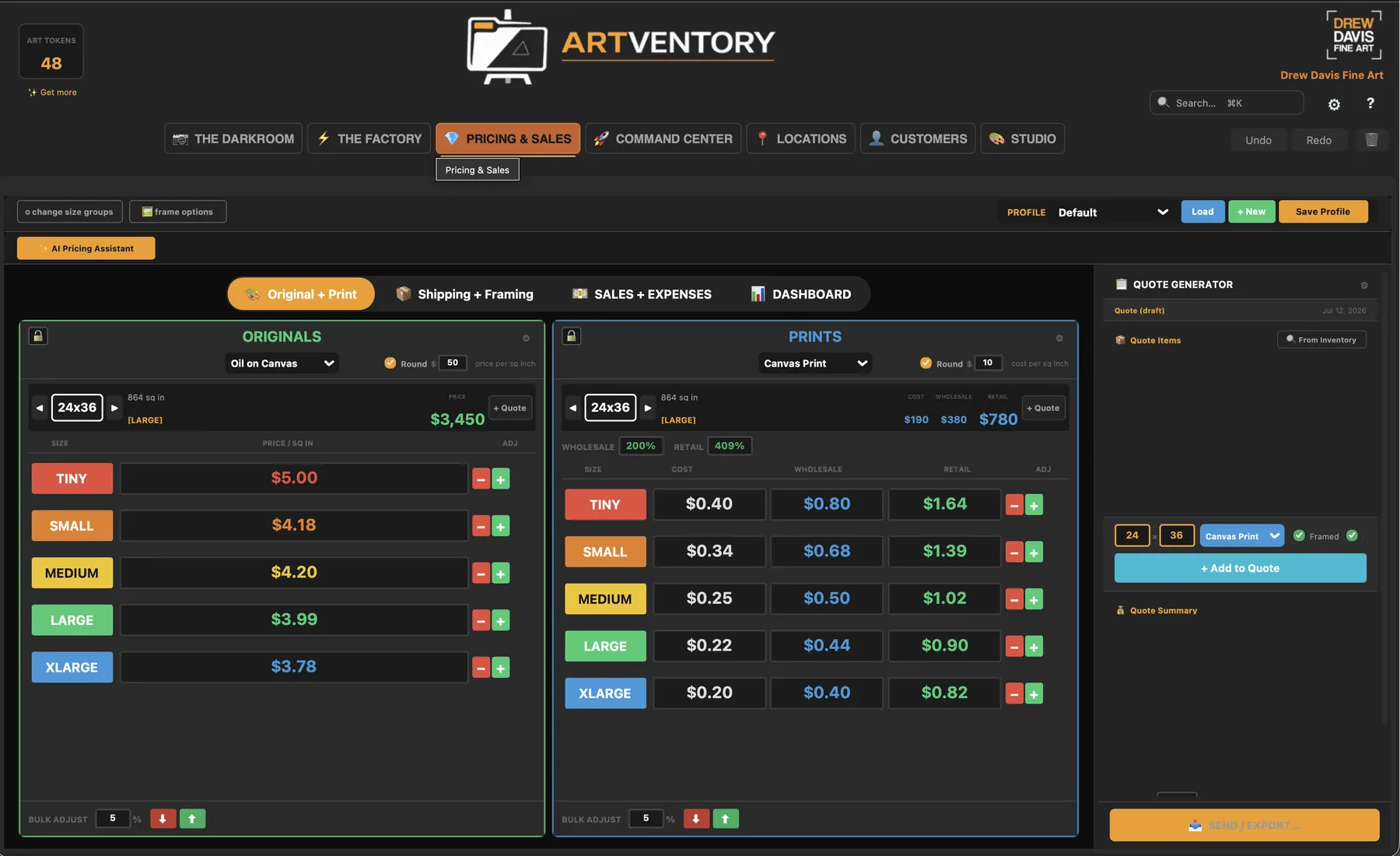
Print Pricing
  • Builds a price for every size, every frame, every print — from a few facts about how you work
  • AI Pricing Assistant suggests per-size rates on a consistent curve
  • Framing and shipping baked into the math — raise or lower everything at once
  • Tracks the money too — a plain finance ledger with tax-ready exports
Priced by size, app-style:TinySmallMediumLargeXLarge
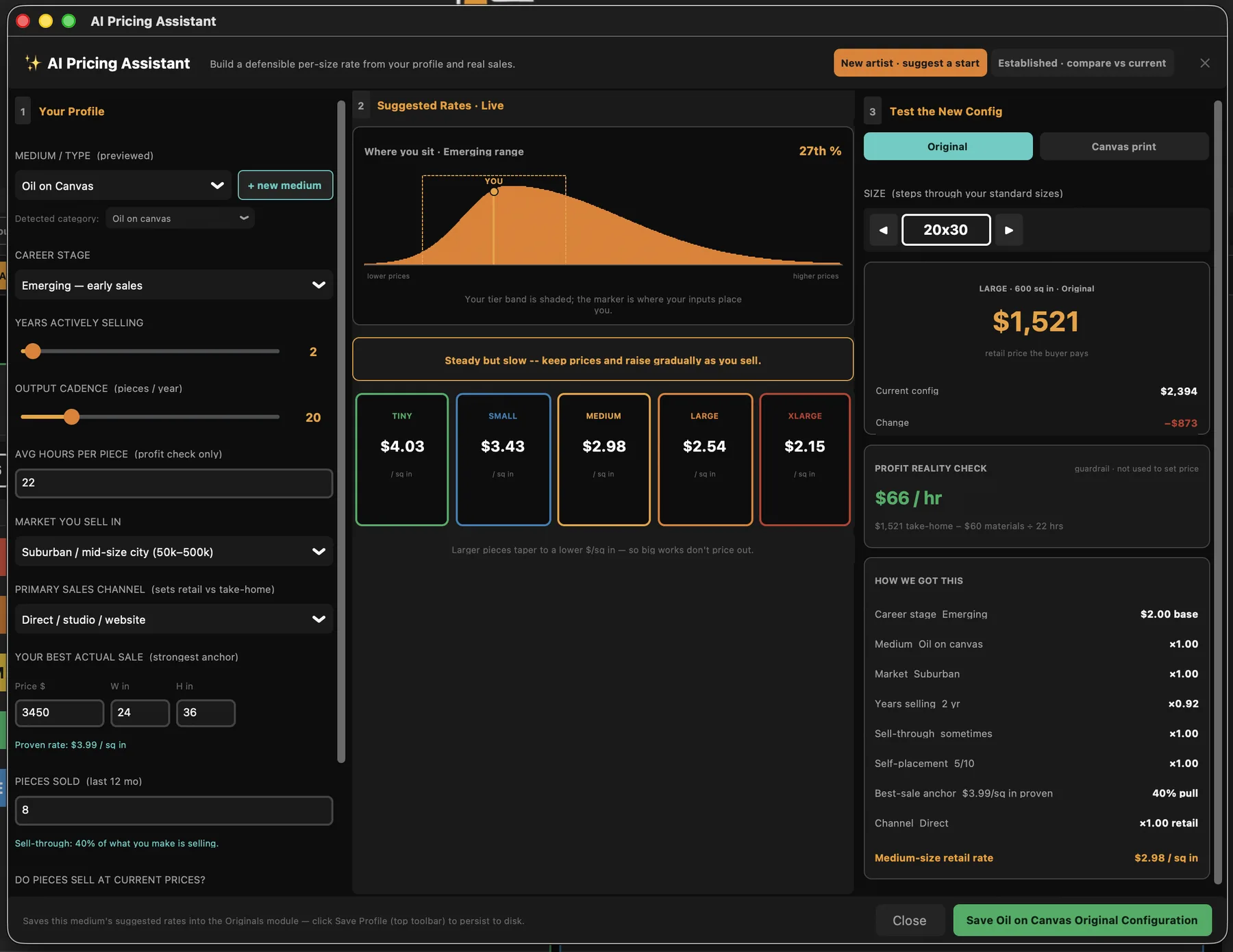
ARTVENTORY Pricing & Finances — Calculate Print Prices

Click screenshot to enlarge

Command Center

Inventory Management
  • Originals, prints, editions, sold works, variants — one screen
  • Search, filter, and update without digging through spreadsheets
  • Bulk edits across your whole body of work, synced across desktop and phone
  • Publishes to Shopify — live from inside the app, or one-click CSV
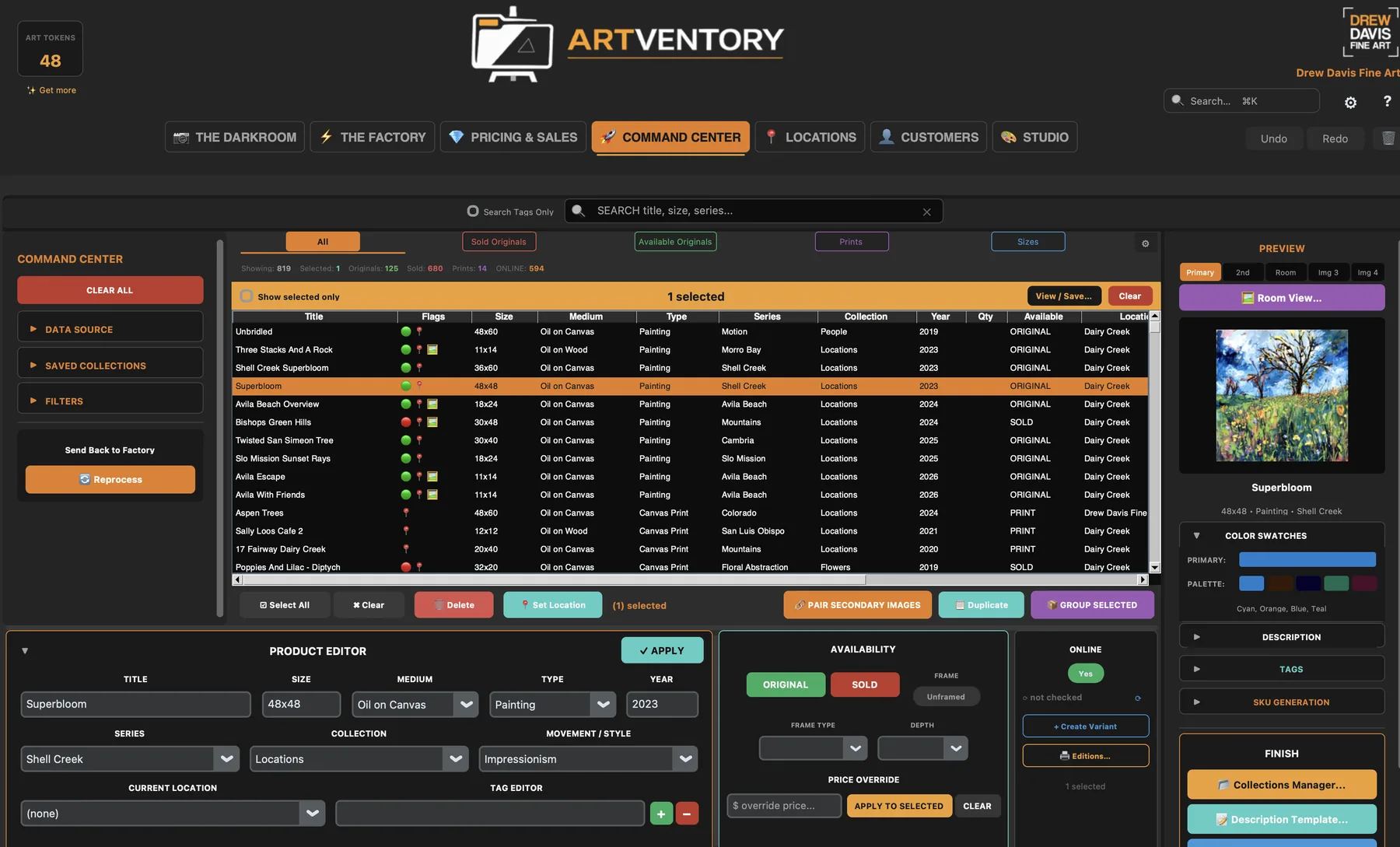
ARTVENTORY Command Center — Inventory Management

Click screenshot to enlarge

Locations

Galleries & Consignment
  • Track where every piece is — which gallery, which show, since when
  • Consignment terms and commission splits, remembered for you
  • Every move logged — a full history trail per artwork
  • Wall labels printed from your inventory — retire the Post-its
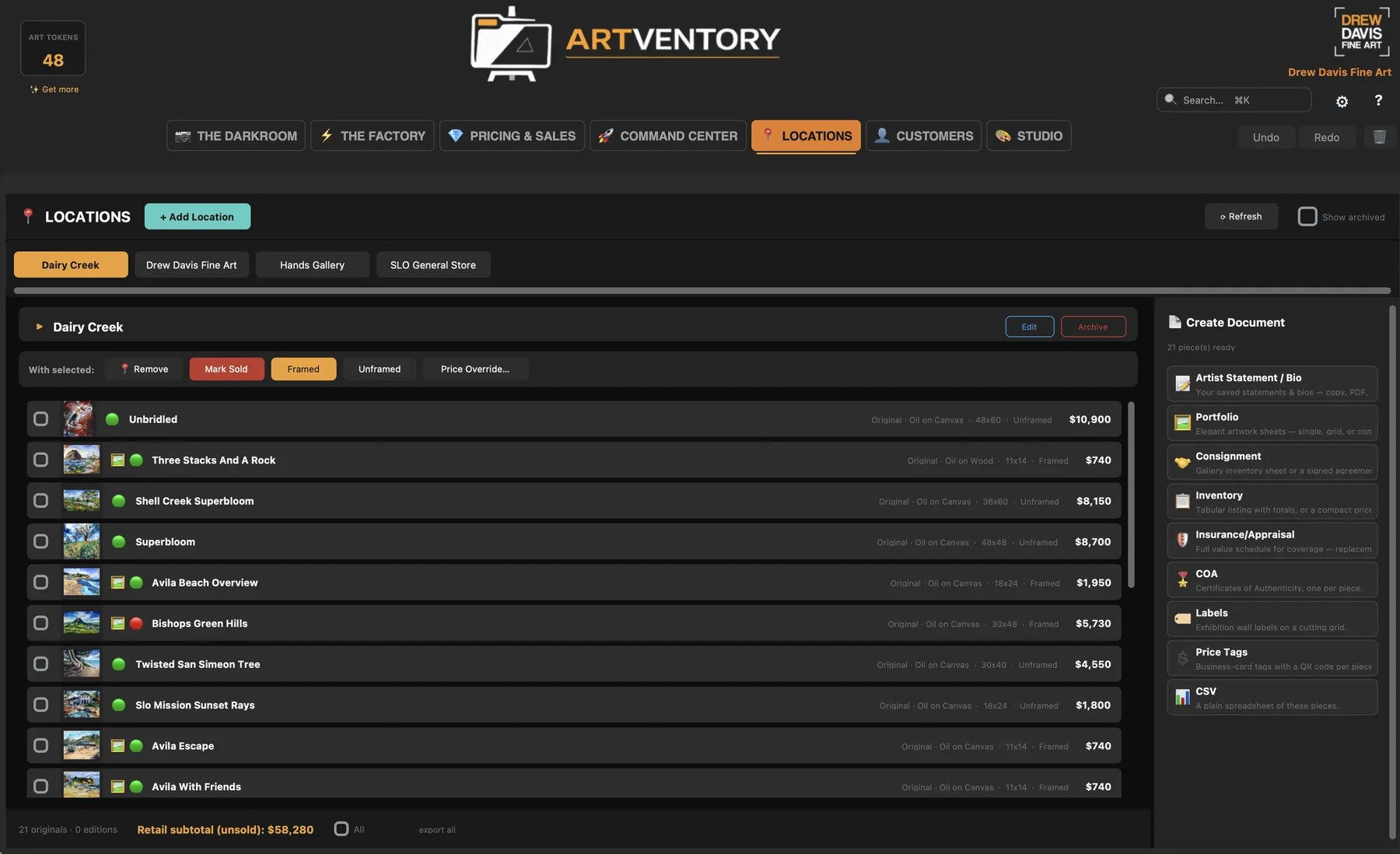
ARTVENTORY Locations — galleries, consignment and documents

Click screenshot to enlarge

The Studio

Supplies & Materials
  • Bins and checklists for the physical studio
  • Know what you have before you buy it twice
  • Import supply lists from a plain .txt or .csv
  • Artist statements & bio library — one home for the words you reuse
Screenshot coming soon
Watch me clear the backlog.

Under four minutes, narrated by Drew — a folder of raw photos to five paintings live on Shopify, in real time.

Five paintings, start to published · 3:23 · more guides
A Tool for Fine Artists

It’s not a brush or paint.
But it’s the only other tool you need.

Finished isn't listed.

Here's what your painting still needs before it earns a dime — and none of it is why you became an artist.

The problems, one by one

01 / 04

A file name without a system

A web version that doesn't gut the print version. A name your future self can actually find. Metadata that matches the structure you set up years ago — whatever that was.

02 / 04

A description you hate writing

By description number sixty-seven, they all sound the same. Then come the tags, the keywords, and the alt text search engines quietly demand.

03 / 04

A price for every size, every frame, every print

One painting becomes six sizes, three frame options, and a stack of print SKUs — and every number has to stay consistent with the hundred pieces before it.

04 / 04

A folder with 257 photos of your paintings

Sound familiar? Every one of them needs everything above before it earns a dime. It's the least creative thing you'll do all week. So we built something to do it for you.

You'll never hand-write description number sixty-seven.

It writes your descriptions in bulk, in your voice, formatted identically across your whole store. Pick a writing mode and watch the same painting described six different ways.

Art Gallery Collector's Edition Casual/Approachable SEO-Focused Storyteller Minimal/Clean

AI Description Preview

Before
Oil painting, flowers, blue and yellow, 24x36 canvas
After — Art Gallery

Tuned to your voice.
Down to the single artwork.

The writing mode is just the starting point. Underneath, every description is shaped by controls you set once — and notes you pin to individual pieces.

Story, Direction & Style

Set your art movement, mood, and how much of your story flows into the writing — an influence slider controls how strongly your direction shapes each description. Set it once, and every piece sounds like you.

Sticky Notes per Artwork

Pin a custom note to any single piece — "mention this was painted on location," "the cat's name is Picasso" — and the AI works it into that artwork's description. Your inside knowledge, included automatically.

Description Templates

Build the exact listing structure you want with placeholders that fill themselves:

{title} — {size} {medium}
{ai_description}
{care_instructions} · {shipping_note}

One template, applied across your whole inventory — every listing formatted identically.

Collections & Auto-Tags

Group works into collections — by series, location, or show — and manage them as one. Tag generation learns from your existing tag vocabulary, so new pieces get tagged consistently with the 800 you've already cataloged.

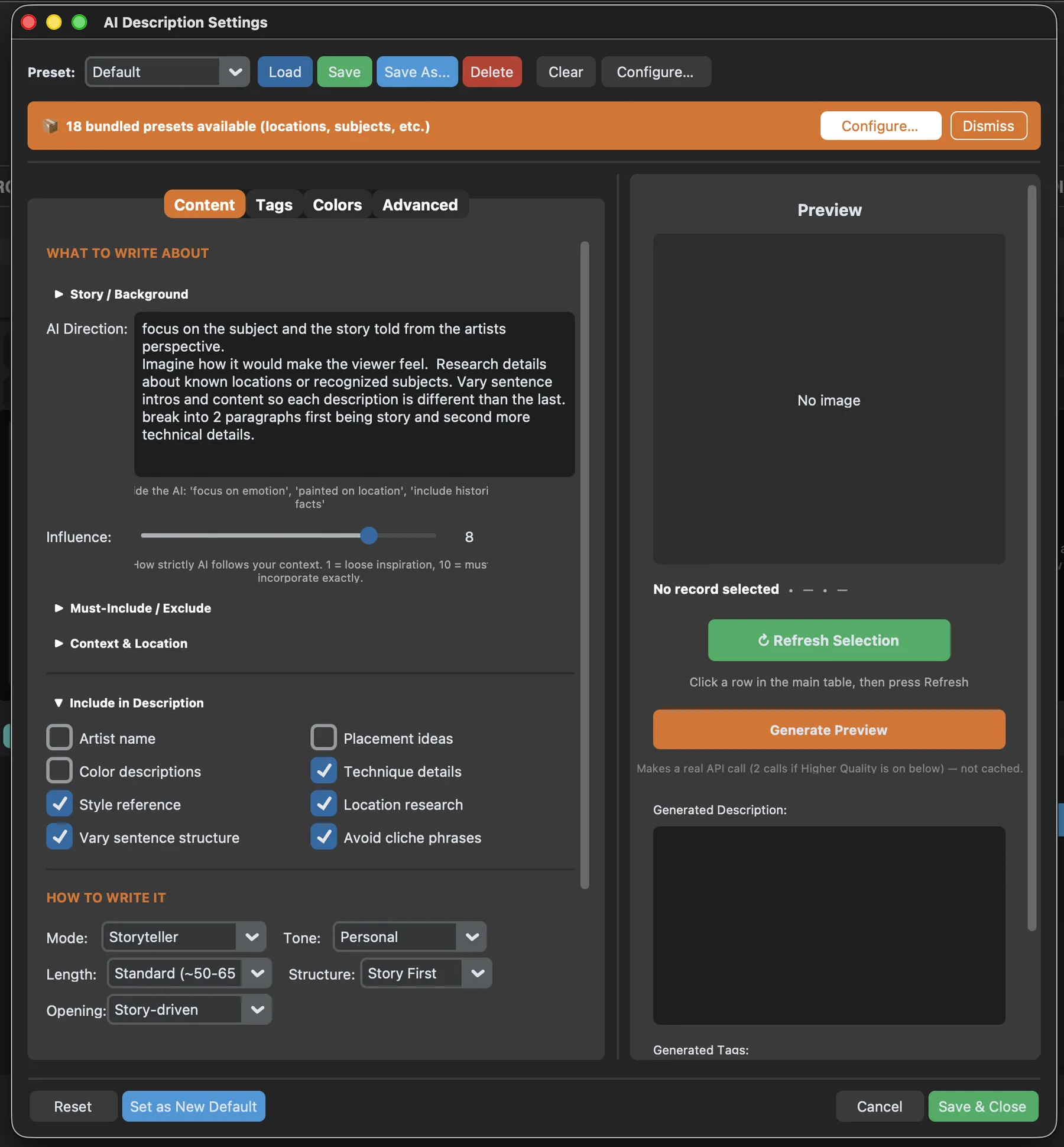
AI Description Settings — direction, influence slider, must-includes, tone and structure

Every knob, one dialog

  • Tell it what to focus on — your direction, in plain words
  • An influence slider, from loose inspiration to word-for-word
  • Must-includes and never-says, saved as presets
  • Mode, tone, length, structure — preview before you spend a credit

Click the screenshot to enlarge

Your art. On a wall. Automatically.

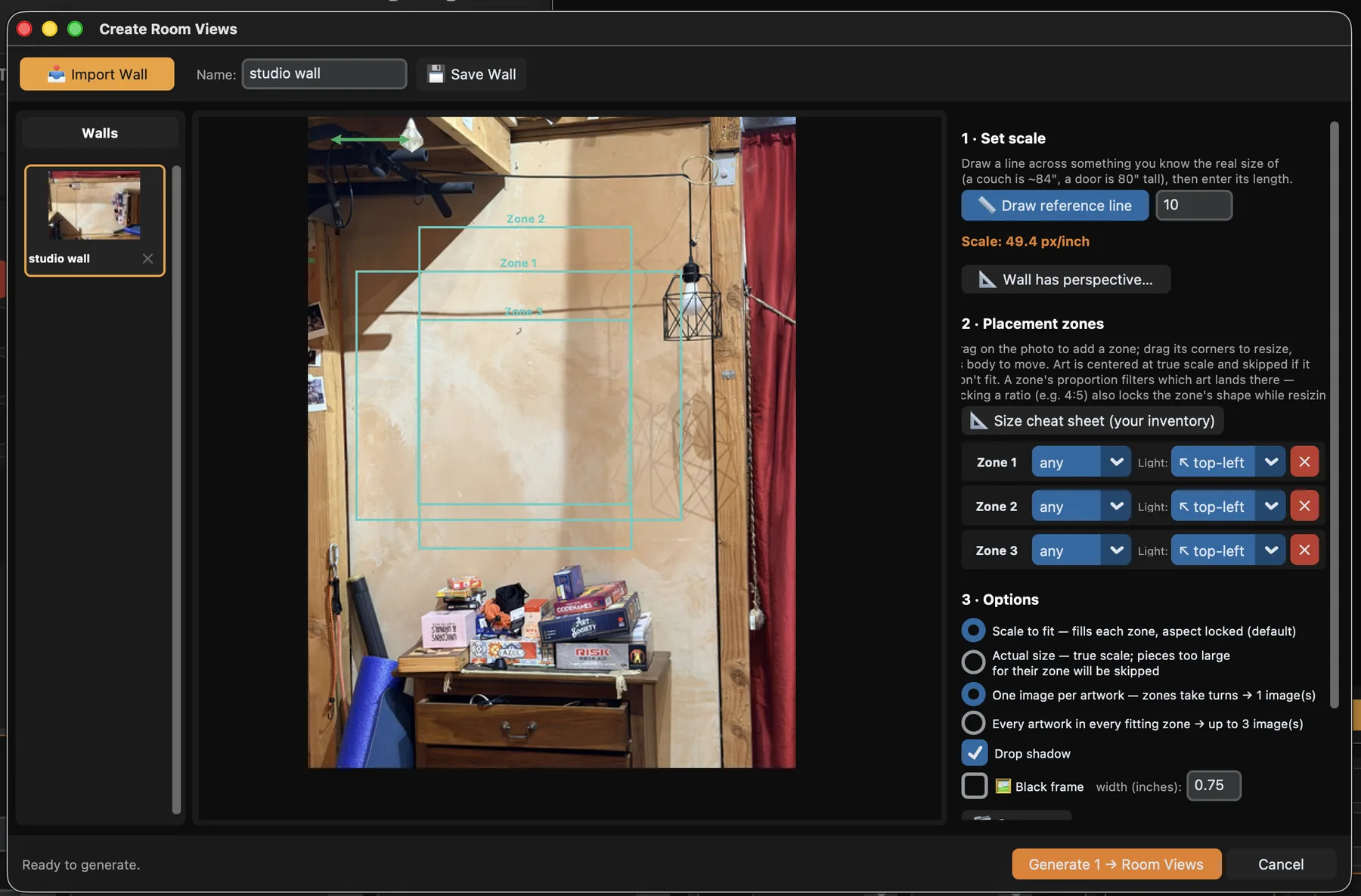
Buyers don’t picture a JPEG — they picture their wall. ARTVENTORY puts every piece on one for you, at true scale, without you mocking up a single image.

  • Photograph any wall once — studio, gallery, or living room
  • Set the scale one time; every artwork lands true to size
  • Batch your entire collection onto walls in a single run
  • Each wall shot pairs itself to the right listing on export — no manual matching, ever
Create Room Views — import a wall, set zones to scale, generate room views for the whole collection

Click screenshot to enlarge

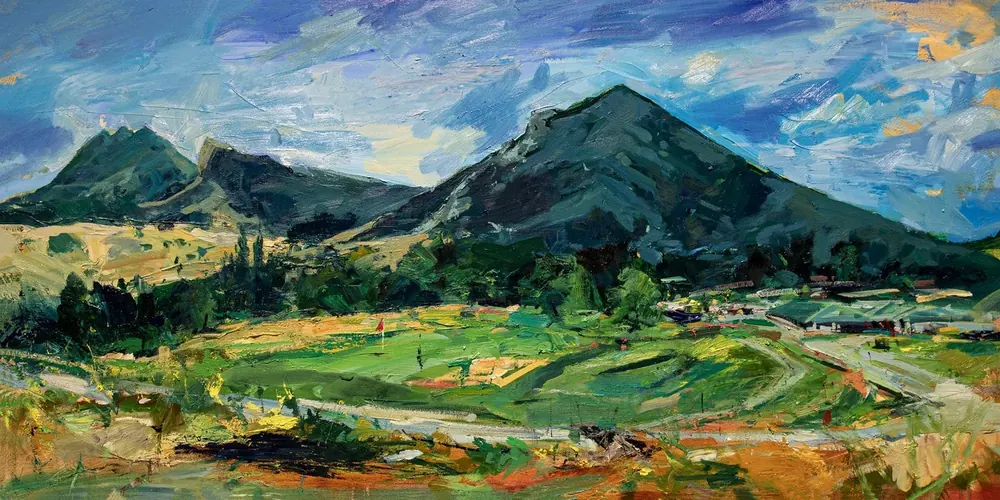
Dairy Creek Golf Course — oil painting by Drew Davis shown on a wall
Dairy Creek Golf Course · 24×48
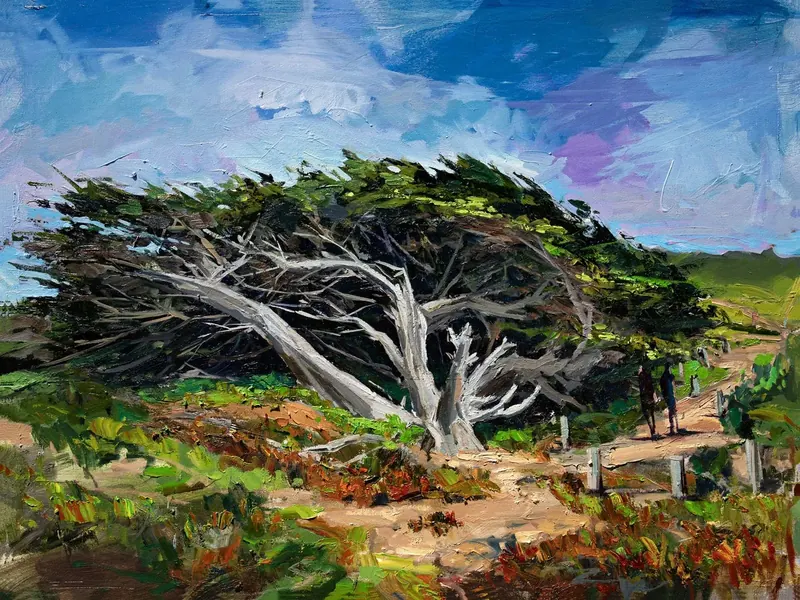
San Simeon Tree — oil painting by Drew Davis shown on a wall
San Simeon Tree · 30×40
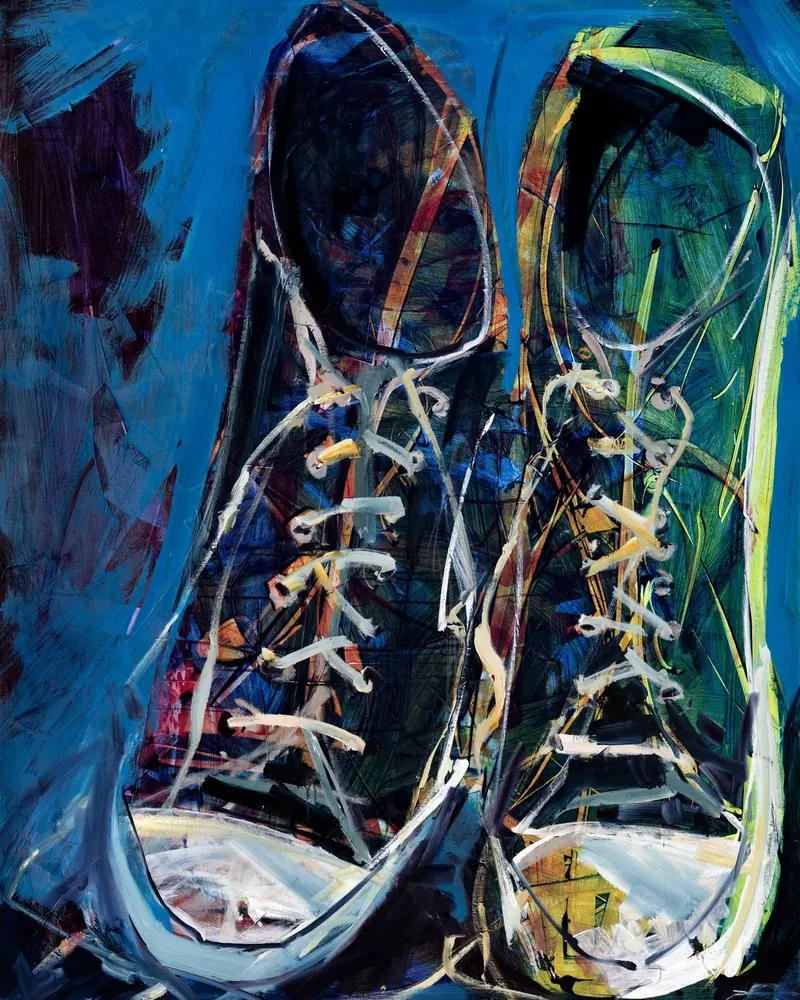
Chucks — oil painting by Drew Davis shown on a wall
Chucks · 48×60

Paintings from the founder’s catalog. In the app, the walls are your own photos — real rooms, true scale, paired to each listing automatically.

Download the app — Founding Pricing

Free trial · No credit card

ARTVENTORY will never help you make a beautiful thing.

It just does the 67 unglamorous steps between making one and selling it.

You do the part that matters.
It’ll do the parts you avoid.

Five steps. You're only needed for one.

Point it at your files, review what it built, and hit export. The naming, describing, tagging, and pricing happen in between — without you.

01

Import

Drop in your art files

Click to explore
02

Organize

Sort & rename files

Click to explore
03

Process

AI describes & tags

Click to explore
04

Manage

Review inventory

Click to explore
05

Export

Publish to your store

Click to explore

Import

Step 01
Multi-folder drag & drop with recursive scanning
Save & recall source folder presets for repeat imports
Auto-detect PRINT vs WEB resolution files
Handles JPEG, PNG, TIFF, PSD & more
Catch visual duplicates before they create inventory clutter
Instant image preview & metadata extraction

Organize

Step 02
Collection & series managers for sorting artwork into groups
Canonical rename engine: Title_Size_Year_TYPE.ext
Automatic PRINT / WEB file pairing per artwork
Auto-link secondary images (details, room views, in-progress)
Artwork-on-wall pairing for lifestyle mockups
Batch rename & re-organize entire folders at once

Process

Step 03
AI descriptions in 7 writing modes, tuned to your voice
Color palette extraction & analysis from artwork images
Smart tagging — style, medium, subject & mood classification
Google Cloud Vision for visual style detection
Batch process hundreds of artworks simultaneously
SEO-optimized titles & alt text auto-generation

Manage

Step 04
Mark originals as SOLD with one click
Quickly create product variants (sizes, frames, editions)
Optional Google Sheet backup, if you want a spare copy
Full search, filter & sort across entire inventory
Make bulk edits across a growing body of work
Companion mobile app for on-the-go management

Export

Step 05
One-click Shopify CSV export (58 product columns)
Artwork-on-wall lifestyle images auto-generated
Auto-link secondary images (details, process shots)
Collection-aware exports for curated Shopify collections
Size-based pricing with frame options built in
Dropbox-hosted image URLs for seamless Shopify import

It didn't stop at the listing.

The pile doesn’t end when the work goes online. The latest release handles the rest of the studio business — the money, the paperwork, the people.

The Money

  • Log a sale in seconds
  • Monthly chart + category breakdown
  • Tax-ready exports for your accountant
  • On Shopify? Pull your sales straight in

The Paperwork

  • Certificates of authenticity
  • Consignment sheets & price lists
  • Wall labels that aren’t Post-its
  • Generated from your inventory — never retyped

The People

  • Every buyer, purchase & gallery in one place
  • Simple segments — who buys, who browses
  • Mailchimp-ready exports
  • Built for artists, not sales teams
AI pricing assistant — suggested rates per size Quotes — built, PDF’d, and logged Weekly backups — automatic Built-in help — works offline Artist statements & bio — one library

Centrally Controlled. Not Platform Locked.

Your catalogue lives with you, not with a platform. Prepare and manage inventory for Shopify, Wix, Squarespace, and Artsy — while your files, pricing, and descriptions stay centralized in one place, synced between your desktop and your phone.

Google Sheets

Optional backup

Dropbox

File hosting

Shopify

CSV export

OpenAI

AI descriptions

Cloud Vision

Image analysis

0+

Paintings the founder had to list — so he built this instead

0+

Variants those paintings became — sizes, frames, prints

1

Screen it's all managed from

“Don’t take my word for it — here’s my actual store, built by the app. 800 paintings. Online. That’s the whole demo.”

See the store — drewdavis.com

Built by one artist who got tired of his own spreadsheet.

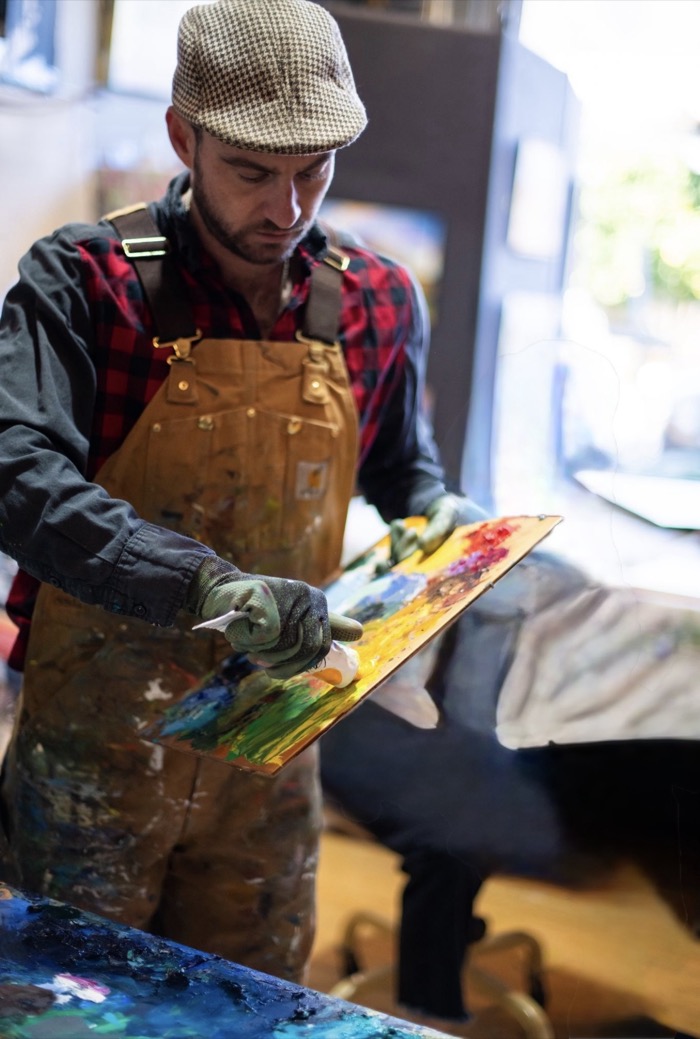
Drew Davis mixing paint on a palette in his studio
I've painted for twenty-five years, and I was never satisfied with the tools — everything still felt like more work than I wanted to do. I just wanted to spend more time painting. But I had eight hundred documented paintings I was never going to list, not with hundreds of hours. So I built the thing that listed them — all eight hundred, with over eight thousand variants of canvas sizes and prints, framed and unframed, managed from my fingertips. I'm not a company that spotted a market. I'm the first user.
Drew Davis — Painter, San Luis Obispo · 25 years of fine art

Your work is in a folder right now.

Not because it isn’t good. Because listing it is a mountain. ARTVENTORY is out now for Mac and Windows — download it and start free. Want to hear about new features first? Join the list.

No spam, ever. Just release news.